The first step in getting your disabled Instagram account back is figuring out why it was taken down. Was it a temporary freeze, a full-blown disablement for breaking the rules, or did a hacker get in? Each scenario has its own specific recovery playbook.
You need to use the right Instagram help forms, provide exactly what they ask for (like a photo of yourself holding a code), and settle in for a wait. It can take weeks. Let me be clear: this is not a quick fix. But sticking to the official channels is the only path that actually works.
Your Instagram Account Is Disabled—Now What?
Seeing that "Your Account Has Been Disabled" message is a gut punch. I've seen it happen to creators who've spent years building their audience and brands who depend on Instagram for real revenue. That one notification feels like the digital rug has been yanked right out from under you. Panic is a totally normal first reaction.
But we're not going to panic. We're going to get strategic. The absolute most important thing you can do right now is correctly diagnose what happened to your account. Why? Because the recovery process for a temporary lock is completely different from appealing a permanent ban. Diving into the wrong appeal process is just a fast track to frustration.
Figuring Out What Kind of Trouble You're In
Not all account problems are created equal. For example, a temporary suspension might block you from liking or commenting for 24-48 hours, but you can still log in and see your feed. That's a world away from a full disablement where you're completely locked out. Getting this distinction right from the start is everything.
Let's quickly break down the most common situations:
Temporary Lock: This is usually a security flag. Think logging in from a new city or following a ton of accounts too quickly. Fixing it is often as simple as verifying your identity with a code sent to your email or phone.
Disabled for Violations: This one is more serious. It means Instagram believes you broke their Community Guidelines. It could be for anything from posting prohibited content to using shady automation tools. This requires a formal, detailed appeal.
Hacked and Disabled: The worst-case scenario. Someone else got into your account, caused trouble (often by posting spam or scams), and Instagram shut it down. Here, you have to prove two things: that you were hacked and that you weren't responsible for the violations.
Here's something most people don't realize: the initial disablement was almost certainly triggered by an algorithm, not a person. And guess what? Your first appeal is probably going to be reviewed by a bot, too. Your only goal right now is to give it clear, simple information to pass that automated check and get your case in front of human eyes.
To help you figure out where you stand, use this quick checklist to pinpoint your situation and identify the correct first move.
First Response Checklist for a Disabled Account
Account Status | Common Reason | Your First Move |
|---|---|---|
Can't Log In; "Account Disabled" | Violating Community Guidelines or Terms of Use. | Fill out the "My Instagram Account Was Deactivated" appeal form. |
Can't Log In; "Suspicious Activity" | A security flag from a new login location or device. | Follow the on-screen prompts to verify your identity via email/SMS. |
Can't Follow/Like/Comment | Action block for "spammy" behavior (e.g., too many likes). | Stop the activity, log out for 24 hours, and wait for the block to lift. |
Can't Log In; Friends see weird posts | Your account was likely hacked and then disabled. | Use the "Hacked Account" recovery flow on the login page first. |
This table should give you a clear starting point. Responding correctly from the get-go dramatically increases your chances of a successful recovery.
Your Immediate First Steps
Okay, before you start filling out any forms, take a breath. Think. Did you recently connect a new third-party app? Were you on a follow/unfollow spree? A little self-honesty about potential triggers can help you write a much more effective appeal.
For businesses and creators, the status of a username is critical. Sometimes it's hard to tell if an account is suspended or just inactive. If a specific handle is vital to your brand, specialized services like those offered by Handles by Kare Social can help investigate and provide strategic options.
Your first response should be calm and methodical. Start documenting everything. Screenshot the disablement notice, every form you submit, and any confirmation emails from Instagram. This paper trail will be your best friend if you need to follow up or escalate the case later.
Figuring Out Why Instagram Really Disabled Your Account
So, you’ve been hit with that dreaded, vague “Community Guidelines violation” message. It feels like a brick wall, but it's actually the first piece of the puzzle. If you want any real shot at getting your account back, you have to get past that generic alert and pinpoint what actually happened. Was it an automated flag that got tripped up by weird activity, or did someone actually report you?
Knowing the "why" is everything. It's the bedrock of a solid appeal. Just sending a message saying "this was a mistake" is the fastest way to get your appeal kicked back by an automated system. But an appeal that shows you understand what might have gone wrong? That has a much better chance of landing in front of a real person who can actually fix things.
When the Algorithm Gets It Wrong
Instagram’s system is constantly on patrol, looking for any behavior that seems out of the ordinary. It's designed to catch spammers and bots, but let's be honest, it often gets it wrong, especially with accounts that are growing quickly. Think of it like a security alarm that’s a little too sensitive.
One of the most common triggers I see is a sudden explosion of activity. Picture this: a small business launches a giveaway that goes viral overnight. They might get tens of thousands of new followers in just a few hours. To the algorithm, that looks exactly like someone buying a bunch of fake followers, which is a huge no-no. The system can't tell the difference between a successful campaign and a black-hat tactic, so it often just shuts the account down to be safe.
Here are a few other things that can set off the automated alarms:
Aggressive Follow/Unfollow Spree: Using an app to mass-unfollow accounts or going on a "follow-for-follow" binge can look incredibly spammy to the algorithm.
Sending Too Many DMs: Blasting the same direct message to hundreds of people, even if it's for a legit marketing outreach, is a classic spam flag.
Weird Login Behavior: Logging in from different cities in a short time or using a VPN can trigger security alerts, leading to a lock.
The big takeaway here is that the first hit is almost always from a bot. You're not trying to convince a person at this stage; you're trying to give a machine the context it missed. Your appeal needs to explain why your activity was legitimate.
The Content Trap: Copyright & IP Strikes
This one trips up so many people who mean well. Content violations, especially around intellectual property, are a minefield. The most common culprit? Music. Using a popular song you don't have the rights to in your Reels or Stories is a quick way to get a copyright strike.
A single strike probably won't get you banned. But if you get a few in a short amount of time, Instagram sees you as a repeat offender, and their patience wears thin. In fact, their own policies state that repeated IP violations will lead to your account being terminated. They don't mess around with this.
When People Get Involved: User Reports
Finally, don't discount the power of other users. If enough people report one of your posts—or your whole account—for the same thing (think harassment, impersonation, or hate speech), it forces a manual review. If an actual human employee looks at the reports and agrees, your account is gone.
This happens a lot in competitive industries or when online feuds get heated. For example, if a rival business claims you're impersonating their brand and can show some flimsy proof, Instagram might just take their word for it and shut you down. This is exactly why, if you think this is what happened, your appeal absolutely must focus on proving you are who you say you are.
By digging in and figuring out whether you were flagged by a bot, a copyright system, or another person, you can stop flying blind and start building a real, evidence-based case to get your account back.
The Instagram Account Recovery and Appeal Process
Trying to get a disabled Instagram account back can feel like shouting into the void. But I promise you, there is a process. It’s not always straightforward, but knowing how to navigate their official channels is the first real step toward taking back control. This is where you shift from panic mode to problem-solving mode.
The first move you'll almost always make is the initial appeal, which you do right through the app. This is the starting line for everyone. Trust me when I say that how you handle this first interaction can make or break your chances, so it's important to approach it with a clear head.
Submitting Your First Official Appeal
When you try to log in and get that soul-crushing disablement notice, you should see a link to appeal the decision. Clicking this will take you to a simple form asking for basic info: full name, username, email, and a spot to explain why you think they made a mistake.
Let me be clear: this is not the place to write a novel or vent your frustrations. Your goal is to be concise, factual, and accurate. Think of this first submission as a preliminary screening, likely by an automated system scanning for keywords. A polite, direct tone is far more effective than an angry one, which can get your appeal tossed before a human ever lays eyes on it.
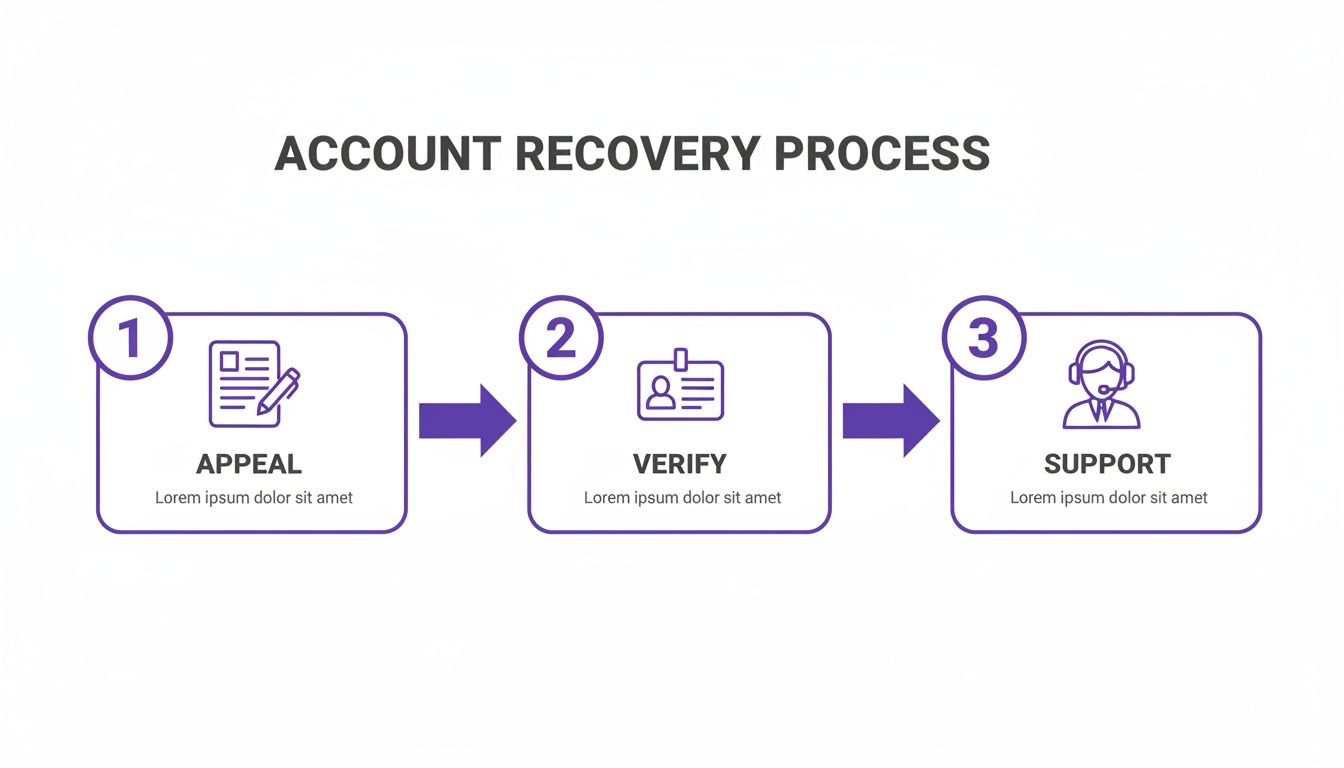
As you can see, recovery isn't just one action. It's a journey, and getting through the identity verification stage is often the key that unlocks access to actual support.
Mastering the Identity Verification Photo
If your initial appeal gets past the bots, you’ll probably get an email from Instagram support. This is the big one. They'll ask you to send a photo of yourself holding a piece of paper with a handwritten code they provide. So many people mess this part up.
Getting this photo right is absolutely non-negotiable. An unclear picture or mismatched information will get you an instant rejection, sending you right back to square one.
Here’s exactly what you need to do to get it perfect:
Use a Government-Issued ID: The name on your ID (driver's license, passport, etc.) must exactly match the name on your Instagram profile. This can be tricky if you use a nickname or a business name on your account.
Write Clearly: Get a clean, white sheet of paper and a dark marker. Write the code they send you in large, clear block letters. Don't scribble.
Take a High-Quality Photo: Your face and the entire piece of paper with the code must be perfectly clear. Stand in a well-lit room. If you can, have someone else take the picture to avoid a blurry, low-quality selfie.
Pro Tip: When you reply to their email, attach your "mugshot" photo, but also attach a separate, crystal-clear picture of just your government ID. I've seen this extra layer of verification help move cases along much faster.
The Meta Verified Support Shortcut
So what happens when the standard appeal process goes completely silent? For many people, this is where the road ends in frustration. But there's a powerful, lesser-known strategy that can open a direct line to a real human: using a Meta Verified subscription.
Imagine you've just launched your startup's Instagram, only to see that "Your Account Has Been Disabled" message. It’s a nightmare scenario that happens all the time. One of the most reliable recovery paths I've seen involves getting Meta Verified on a linked Facebook account, which costs around $20 and usually gets approved within a day.
There's a well-documented case from a user named Viviana who, after her account was disabled, subscribed to Meta Verified on her Facebook profile. This immediately unlocked live chat access. She explained her situation, a support case was opened, and after about a week of it being "in review," her account was suddenly reactivated—after three long months of nothing.
This isn't just a one-off story. Data from user forums suggests that approximately 40-50% of persistent appeals made through verified channels end up being successful, especially for minor issues like accidental spam flags or username disputes. You can actually read through the detailed steps of her successful recovery.
This method isn't a guaranteed fix, but it gives you something the standard process doesn't: access. By paying for a subscription on a linked profile, you get into the live chat queue for paying customers. This lets you plead your case to a real person who can open an internal ticket. Even with this method, you have to be persistent, but it effectively lets you jump from a line of millions to a much, much shorter one.
How to Write an Appeal That a Real Person Will Actually Read
Here's a hard truth: when you first appeal a disabled Instagram account, you're not talking to a person. You're talking to a bot.
Your message gets scanned by an algorithm looking for very specific keywords and signals. So, your first and only goal is to be clear, concise, and professional enough to get past that automated gatekeeper and into a real human's review queue.
This means sending a long, angry, or emotional novel about how unfair this is will get you absolutely nowhere. In fact, it often does the opposite—the system flags it as spam or low-priority, and it gets tossed. You need a strategy, not a rant.
Think of the algorithm as a bouncer with a very simple checklist. Your job is to calmly tick all the right boxes without giving it any reason to turn you away. A professional tone and the correct documents are your ticket inside.
First, Build Your Case with the Right Paperwork
Before you even start typing your appeal, get your evidence in order. Showing up to the conversation prepared can genuinely make or break your case. You need to have everything ready to prove you are who you say you are and that whatever happened was a misunderstanding or, in the case of a hack, not even your fault.
Here’s your documentation checklist:
Proof of Identity: Get a crystal-clear photo of your government-issued ID (a driver's license or passport works best). The name on the ID must match the name on your Instagram profile. No exceptions.
Proof of Business (If Applicable): If it’s a business account, you'll need things like your business registration, articles of incorporation, or even a utility bill showing the business name and address.
The "Mugshot" Photo: Instagram is famous for this one. They'll almost certainly ask for a photo of you holding a piece of paper with a handwritten code they provide. Be ready to take a clear, well-lit picture when they ask.
Screenshot Everything: Seriously, screenshot it all. The initial email saying you were disabled, any weird error messages you see, and confirmation screens for every form you submit. This creates a paper trail of your efforts.
Having all these files organized and ready to upload shows you’re serious and makes it much easier for a support agent to process your case once a human finally sees it.
Appeal Templates That Work for Common Scenarios
A generic "please give me my account back" appeal is a waste of time. You have to tailor your message to your specific situation. Here are a couple of templates I've seen work because they are factual, polite, and straight to the point.
Scenario 1: The Accidental Violation
Use this if you think you unintentionally broke a rule. Maybe you used a song you shouldn't have, or your account got flagged for spam-like activity during a big giveaway that went viral.
Subject: Appeal for Disabled Account - [@yourusername]
Dear Instagram Support Team,
My account, [@yourusername], was recently disabled. After reviewing the Community Guidelines, I believe this may have been due to [briefly state the suspected violation, e.g., an unexpected surge in follower activity from a recent marketing campaign].
This was entirely unintentional, and I am fully committed to adhering to all of Instagram's policies. I have attached my identity verification to confirm ownership of the account. Thank you for your time and consideration.
Sincerely, [Your Full Name]
Scenario 2: The Hacked Account
This is your go-to if a hacker got into your account and started posting things that got you shut down. The key here is to make it clear you were not in control of the account when the violations happened.
Subject: Hacked Account Appeal - [@yourusername]
Dear Instagram Support Team,
My Instagram account, [@yourusername], was recently compromised and subsequently disabled for violations I did not commit. On [Date], I noticed unauthorized activity and believe a third party was posting content without my consent.
I was not responsible for these actions and have since secured all my related accounts. I have attached my government ID to prove I am the legitimate owner. I kindly request you review my case and reinstate my account.
Sincerely, [Your Full Name]
Recovering a disabled Instagram account isn't about luck—it’s about following a very specific protocol. From what we've seen, success rates hover around 30-40% for accounts with minor infractions, especially if they were mistakenly flagged by an algorithm.
A key strategy involves using a stable "helper" account to access Instagram's appeal form and then submitting perfect identity verification. If that initial automated review fails—which happens in around 70% of cases—many people pivot to getting Meta Verified on a linked Facebook profile. It costs about $20, but it can give you access to the holy grail: live human support. To see exactly how this works, you can watch a detailed breakdown of the recovery protocol.
What to Do When Your Appeal Is Ignored or Rejected
It’s a sinking feeling. You’ve carefully submitted your appeal, only to get an automated rejection—or worse, total silence. It’s easy to feel like you’ve hit a brick wall, but this is often just part of the process, not the final word. Giving up is exactly what the system expects you to do.
Now's the time to shift from just reacting to a proactive, persistent follow-up strategy. This isn’t about spamming the same form ten times a day. In fact, that's a fast track to getting your case ignored. A professional and methodical approach is what will actually get you noticed.
Developing a Persistent Follow-Up Cadence
When your first shot misses, it's time to get organized. The goal is to stay on Instagram’s radar without becoming a nuisance. Think of it as a polite but firm weekly check-in, not a daily, desperate plea. I’ve seen this structured approach work time and time again where frantic, repetitive submissions have failed.
A good cadence looks something like this:
Wait 7-10 Days: After your initial appeal gets rejected or you hear nothing, give it a full week. Don't immediately fire off another one. This shows you’re being patient.
Submit a Second Appeal: If you can, try a different appeal form. For example, if you think hacking might be the root cause, use that form instead. Tweak your explanation a bit.
Document Everything: Keep a simple log: the date you submitted, which form you used, and any reference numbers. This info is gold if you ever get to communicate with a real person.
This measured pace signals that you're a legitimate user with a real problem, not a bot trying to game the system.
Exploring Alternative Contact Methods
Let's be honest, the standard appeal forms can feel like a black hole. When they don't work, you have to find another door. For many, the most effective route is through Meta’s business support channels. They're built for paying advertisers, but sometimes they can be your key to unlocking other issues.
Getting a live human involved is a game-changer. I've seen cases that were stuck for months get resolved in 48 hours once a real person at Meta opened an internal ticket. The support agents in these channels have access to tools and escalation paths that are completely unavailable through the public forms.
So, how do you get there? You may need to create a Facebook Business Page, link it to your Instagram, and run a small ad campaign—even for just $5-10. Once you’re an advertiser in their system, the option to contact Meta Support via live chat often appears. It’s not a guarantee, but it is by far the single most effective escalation tactic for anyone figuring out how to recover a disabled Instagram account after hitting a wall with rejections.
When to Consider Professional Recovery Services
If you're dealing with a high-value account—an established brand, a creator who relies on it for income, or a business with major ad spend—the stakes are too high to just wait and hope. When an account is tied directly to your revenue and weeks of downtime are causing real financial harm, it might be time to bring in a professional.
But be incredibly careful here. The internet is flooded with scammers promising a guaranteed recovery for a fee. Reputable services, like agencies specializing in brand protection or handle acquisitions, work differently. They don't use shady "hacking" tricks; they leverage established industry contacts and a deep understanding of platform policy to get in touch with the right internal teams.
These services aren't cheap, but they specialize in navigating the kind of complex cases that are often impossible for an individual to resolve. They're best for situations like:
Complex Impersonation: Someone is actively using an account to damage your brand.
Major Hacking Incidents: Your account was compromised, resulting in significant data loss or malicious activity.
Erroneous Bans on High-Follower Accounts: An algorithm made a mistake that’s having a massive impact.
Ultimately, if your standard appeals go unanswered, don't lose hope. A smart combination of persistent follow-ups, exploring back-channel support, and knowing when to call in the experts can turn a dead end into a successful recovery.
Proactive Steps to Protect Your Instagram Account
Once you’ve gone through the headache of recovering a disabled Instagram account, you'll want to make sure it never happens again. The best defense is a good offense. It’s time to shift from a reactive mindset to a proactive one to keep your account safe for good.
Think of your account's security as its immune system. A few small, consistent habits can build up its defenses, making it much tougher for hackers—or even Instagram's own automated systems—to cause problems.
Non-Negotiable Security Measures
If you do only one thing, make it this: enable Two-Factor Authentication (2FA). Seriously. This adds a critical security layer that requires a second code from an authenticator app or text message when logging in from a new device. It’s a simple setup that single-handedly stops the vast majority of hacking attempts.
Next up, get into the habit of auditing your connected apps at least once a quarter.
Review App Permissions: Head to "Settings and privacy" > "Website permissions" > "Apps and websites."
Remove Unused Access: See an app you don't recognize or haven't used in months? Revoke its access immediately. Every app you connect is another potential back door into your account.
I can't tell you how many account takeovers I've seen that didn't come from a guessed password, but from a sketchy third-party app that got compromised. Cleaning house regularly is like locking all the windows and side doors, not just the front one.
Staying Compliant to Avoid Flags
Technical security is one piece of the puzzle; the other is playing by Instagram's rules. Their Community Guidelines aren't just suggestions, and they're constantly changing. A strategy that worked fine last year might get your account flagged today.
Stay far away from any automation tools that promise to grow your account by auto-following, liking, or commenting. Instagram’s algorithm is incredibly good at spotting this kind of inauthentic activity, and it’s one of the fastest ways to get disabled.
Also, be extremely careful with copyrighted material, especially music. The safest move is to always use tracks from Instagram's official music library for your Reels and Stories. Just like you'd learn how to change your TikTok username to manage your brand, learning the specific rules of each platform is fundamental to keeping your digital identity secure and avoiding another lockout.
Frequently Asked Questions
When you're staring at that "Your account has been disabled" message, your mind is probably racing with questions. Let's tackle some of the most common ones I hear from people trying to navigate the Instagram recovery process.
How Long Does Recovery Take?
This is the million-dollar question, and unfortunately, there's no single answer. The timeline is all over the place.
I've seen some people get their accounts back in 24-48 hours, but they are the exception, not the rule. More often than not, you're looking at a waiting game that can stretch from a few weeks to several months. It really depends on the complexity of your case and how many appeals you need to file.
Even if you're subscribed to Meta Verified for support access, that doesn't guarantee a quick fix. You might get a faster initial response, but the internal review process itself still takes time. Your best allies here are patience and polite persistence.
Will I Lose My Followers and Content?
If your appeal is successful, you shouldn't lose a thing. The whole point of getting your account reinstated is to restore it to exactly how it was. That means all your followers, posts, Reels, Stories, and even your DMs should be right where you left them.
The big "but" here involves hacked accounts. If a hacker got in and started deleting your content, Instagram's recovery process might not be able to bring back those specific posts or messages. Once they're gone, they're often gone for good.
Can I Pay Someone for Help?
You need to tread very, very carefully here. The internet is flooded with services promising a guaranteed recovery for a fee, and frankly, most of them are scams.
However, legitimate professional services do exist, but they're typically reserved for high-stakes situations involving major brands or public figures. These aren't hackers; they are brand protection agencies that have established relationships and proper channels to communicate with platforms like Meta. They can be incredibly effective, but you must do your homework and vet any agency before sending them a dime.
If your brand's username is mission-critical and you're stuck, Handles by Kare Social specializes in this exact kind of strategic handle acquisition and recovery. We work directly with platform teams to secure the usernames essential to your brand's identity. Learn more about our brand alignment services.


