>

Blog

How to Change TikTok Username: how to change tiktok username in minutes

Page Header

Connect to Content

Add layers or components to infinitely loop on your page.

Changing your TikTok username is surprisingly simple. You can get it done in just a few taps: head to your Profile, tap Edit profile, go to Username, and type in your new handle. Just be aware that once you hit save, you’re stuck with it for a while.

Why Your TikTok Handle Is Your Most Valuable Digital Asset

Think of your TikTok username—your handle—as more than just a name. It’s your digital handshake. For creators and brands, it’s how people find you, remember you, and tag you in their own content. A killer username is easy to recall, matches your brand across all your other social accounts, and makes you instantly discoverable.

That said, changing it is a bigger deal than you might think. Before you dive in, you need to understand the rules of the road.

Key Rules for Changing Your TikTok Username

Before you make a switch, it's critical to understand the platform's constraints. These rules are in place for a reason, and knowing them can save you a lot of headaches down the line. Here’s a quick rundown of what you’re up against.

Constraint

What It Means for You

The 30-Day Lock-In

Once you change your username, you can't change it again for 30 days. This means you need to be absolutely sure about your new handle before you commit.

Fierce Competition

The perfect username is probably already taken. As TikTok has exploded in popularity, the best, most brandable handles were snapped up fast. You'll need to get creative.

Brand Consistency

Your handle should ideally be the same everywhere—Instagram, YouTube, X, etc. Mismatched names confuse your audience and weaken your overall brand presence.

These aren't just minor details; they're strategic considerations that will impact your brand's growth and recognizability on the platform.

The Real-World Impact of These Rules

Let's talk about that 30-day lock-in period. This rule is there to stop people from constantly swapping names, which would create chaos and make it impossible to keep track of accounts. For you, it means there’s no room for typos or second-guessing. Double-check everything before confirming.

Then there's the competition. It's fierce. With TikTok projected to hit 1.9 billion users by early 2026—a massive jump from 271 million back in 2018—the pool of available, high-quality usernames is practically bone dry. You can dig into more data on TikTok's incredible growth to see just how crowded it's become.

Finally, brand consistency is everything. Having @BrandAwesome on TikTok but @TheRealBrandAwesome23 on Instagram creates a disconnect. It forces your audience to do extra work to find you, and many just won't bother. A unified handle across platforms makes you look professional and makes cross-promotion seamless.

Choosing a new username is a strategic move. It's not just about finding something that's available; it's about claiming a piece of digital real estate that defines who you are and helps your audience connect with you instantly.

Making the Right Choice

Before you pull the trigger, take a moment to think long-term. Does this new name truly represent your content or your brand's mission? Is it easy for people to spell and say out loud? Most importantly, is it available on the other platforms that matter to you? Answering these questions now will save you from a major branding headache later.

What if your dream username is already taken? Don't give up just yet. Often, a great handle is sitting on an inactive or suspended account, making it impossible to claim through the app. In cases like this, it might be worth looking into a professional username acquisition service. If you're curious, you can learn more about how specialized services secure ideal social media handles for serious brands and creators. It’s an investment, but it can be the key to aligning your digital identity perfectly with your vision.

How to Change Your Username on Any Device

Ready for a rebrand? The great news is that changing your TikTok username is a breeze, and the process is nearly identical whether you're on an iPhone, an Android, or your computer's web browser.

It all goes down in your profile settings. Let's walk through the specifics for each platform so you know exactly what to look for.

Changing Your TikTok Username on iOS

If you're an iPhone user, updating your handle is incredibly straightforward. You can get it done in less than a minute.

  • First, pop open the TikTok app and make sure you're logged in.

  • Tap the Profile icon in the bottom-right corner to go to your main profile page.

  • Right below your follower count, you'll spot the Edit profile button. Give that a tap.

  • Select the Username field. This is where the magic happens—type in your new handle, and TikTok will instantly check if it's available.

  • If you see a green checkmark, you're golden. Tap Save in the top-right corner, and your new username is live.

Updating Your Handle on an Android Device

The process on an Android device mirrors the iOS experience almost perfectly. TikTok keeps the user interface consistent, so you won't have to learn a new layout.

Just like on an iPhone, start by opening the app and tapping the Profile icon in the bottom-right.

From there, hit the Edit profile button located just under your bio. This brings you to the screen where you can tweak your account details. Find the Username option, tap it, and type in the new name you've picked out.

The app will run a real-time check. As soon as you get that green checkmark confirming the name is available, tap Save. A quick pop-up will appear, just to remind you that you won't be able to change it again for 30 days.

The whole process involves more than just picking a name; it's about availability and timing.
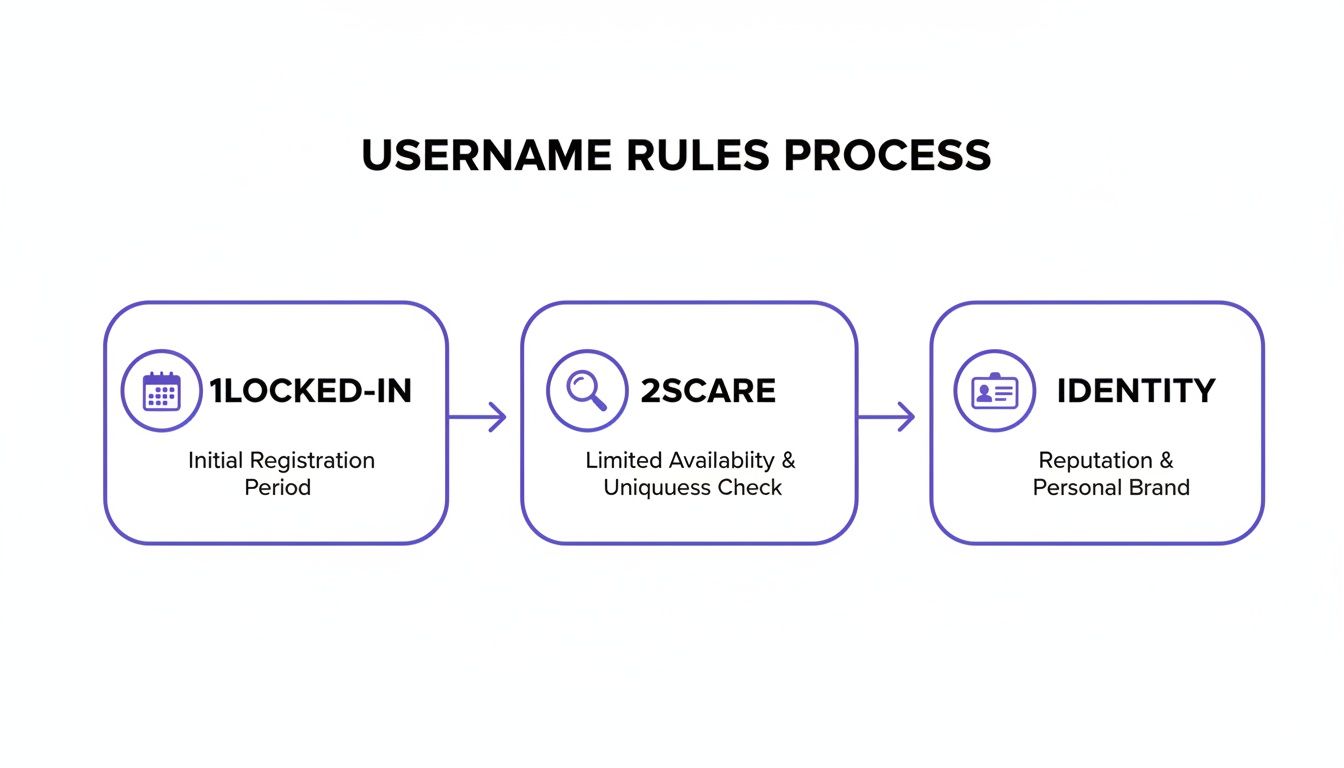
Flowchart illustrating a three-step username rules process: initial registration, availability check, and identity.

This flowchart really breaks it down: it’s a cycle of checking for an available name, committing to it, and then waiting out the lock-in period before you can change it again. This cements your digital identity on the platform, at least for a month.

Making the Change on a Web Browser

For those who prefer a bigger screen, changing your username through the TikTok website is just as easy, though the layout is a bit different.

My Two Cents: I actually prefer doing this on a desktop. It's much easier to brainstorm and quickly test different username ideas when you can have multiple tabs open to check for availability across all your social media platforms at once.

Head over to TikTok.com and log into your account. Click your profile icon in the top-right corner of the page and choose View profile from the dropdown menu.

Once you're on your profile page, click the Edit profile button right next to your username. A pop-up window will appear—find the Username field, clear out your old handle, and type in your new one. The system will immediately tell you if it's taken. If it's free, just click Save, and you're all set.

Navigating Username Rules and Availability

A person's hands typing on a laptop with 'Username Rules' text on a purple banner.

You’ve got the perfect new username in mind. It’s catchy, on-brand, and ready to go. Then you type it in and see the one message you were dreading: “Username is not available.” It’s a frustratingly common roadblock.

Before you start brainstorming alternatives, you need to know the rules of the road. Getting a handle on TikTok’s specific requirements from the start will save you a lot of headaches later.

First off, the technical stuff. TikTok usernames can only use letters, numbers, underscores, and periods. A small but important detail: you can't end your username with a period. It’s a simple rule that trips a lot of people up.

But the most critical thing to remember is the 30-day cooldown period. Once you change your username, you’re stuck with it for a full month. No exceptions. This policy is in place to stop people from hoarding names or causing confusion, but it also means you have to be absolutely sure about your choice. One little typo and you could be stuck with @MyBrandTpyo for 30 long days.

What to Do When Your First Choice Is Taken

So, what happens when @YourPerfectHandle is already gone? Don't panic. It’s time to get creative while staying true to your brand's identity. The key is to find a variation that’s still easy for your audience to find and remember.

A few strategies I've seen work well:

  • Add a relevant prefix. Try putting a word at the beginning that adds context. For a fitness coach, @CoachJaneDoe works. A local business might use @JaneDoeNYC.

  • Use a smart suffix. Adding a word to the end can clarify what you do. Think @JaneDoeCreative, @JaneDoeEats, or the ever-popular @JaneDoeOfficial for a professional flair.

  • Incorporate an underscore or period. Sometimes, a simple separator is all you need. @Jane.Doe or @Jane_Doe can open up options. Just use them sparingly to keep the handle clean and easy to type.

When your ideal username isn't available, a little creativity can go a long way. The goal is to find a memorable alternative that still aligns with your brand.

Here’s a breakdown of some effective strategies to try.

Creative Solutions for Unavailable Usernames

Strategy

Example

Best For

Add a Niche Keyword

@BrandNameSkincare

Businesses with a specific product or service line.

Use "The" or "Official"

@TheRealBrandName

Verified creators, public figures, or established brands.

Incorporate a Location

@BrandNameUK

Local businesses or creators targeting a specific region.

Try Action Words

@LetsBrandName or @GoBrandName

Brands with a call-to-action or community focus.

Use Punctuation

@Brand_Name or @Brand.Name

When a clean separation is needed and the name is simple.

These small tweaks can often unlock a great handle that’s just as effective as your first choice.

Your username is prime digital real estate. On a platform projected to generate $44 billion by 2026, a strong, brand-aligned handle is a non-negotiable asset for the 31% of creators aged 18-24 who dominate the space.

The competition is only getting tougher. While the 13-19 age group is expected to shrink from 32% of users in 2021 to 25% by 2026, the 25-34 demographic is set to grow to 35%. This shift means more established brands and professionals are joining the platform every day. You can find more details on these trends in these TikTok user statistics from charleagency.com.

The Frustration of Inactive and Suspended Accounts

One of the most maddening situations is finding your ideal username is taken by an account that's been inactive for years or is suspended. It feels like it should be up for grabs, but TikTok’s policy here is firm. They almost never release usernames from inactive or banned accounts, no matter how nicely you ask.

For most people, this is a dead end. You can't claim it, and waiting for TikTok to potentially purge it could take years—if it ever happens at all. For serious brands that need perfect handle alignment across every social platform, this is often the point where looking into a professional handle acquisition service becomes a smart, and sometimes necessary, move.

What Happens When You Change Your TikTok Username?

It might seem like a simple cosmetic update, but swapping out your TikTok username has some real consequences you need to think about first. It’s more of a strategic move than just a quick edit. Before you commit, let's break down exactly what changes—and what stays the same.

A smartphone and a tablet on a wooden desk, displaying a dashboard and the text 'Handle Impact'.

First, the good news. Let’s get the biggest fear out of the way right now: you will not lose your followers, videos, or engagement metrics. All of your content, likes, comments, and your entire audience are tied to your account ID, not your username. Your profile will look identical, just with a new @handle.

The real headache comes from the technical side of things.

The Problem of Broken Links

Here’s the most immediate and disruptive issue: your profile URL is your username. Think tiktok.com/@yourusername. The second you change your handle, that old link is dead.

Anyone clicking an old link to your profile—whether it's from your Instagram bio, a feature on a blog, or a link you shared in an email months ago—will hit a "Couldn't find this account" error page. This creates a few big problems:

  • Lost Traffic: All referral traffic from any source still pointing to your old handle will vanish overnight.

  • A Manual Scavenger Hunt: You’ll have to go on a mission to update your TikTok link everywhere it lives online. We're talking other social profiles, your website, email signatures, Linktree—everything.

  • Dead Tags: Any video where someone tagged you using your old @handle will now lead to nowhere. That connection is permanently broken.

For brands and influencers trying to connect with the 25-34 age group, which accounts for a massive 35% of TikTok's user base, this is a big deal. Brand recall studies show that having mismatched handles across platforms can slash brand recognition by up to 30%. If you're struggling to get your handles aligned, this is where professional handle acquisition services can be incredibly valuable, as they often work directly with platforms to secure usernames. You can dig deeper into TikTok's core user demographics to understand why consistency matters so much.

The Verification Badge Dilemma

If you're a verified creator, changing your username is a high-stakes game. That coveted blue checkmark is directly at risk. TikTok's policy can be a bit of a black box, but the platform often automatically removes the verification badge when a username is changed.

Expert Tip: If you're verified, you should absolutely contact TikTok support before you even think about changing your username. They might be able to help you make the switch without losing your badge, but there are no guarantees.

To play it safe, you need to be ready to go through the entire verification process again. Have all your documentation in order and accept that you might not get re-verified right away. You have to weigh what’s more important: the new handle or the potential loss of that blue check. It's a tough call that requires balancing long-term branding goals against some very real short-term risks.

When to Hire a Pro to Snag Your Perfect Username

Let's be real. Sometimes, no amount of creative brainstorming or adding underscores will get you the username you really need. You've hit the wall: your perfect handle, @YourBrand, is just sitting there, collecting digital dust on an inactive account. It's a common and incredibly frustrating problem, especially for serious brands who need their handles to match everywhere.

You can try messaging the account owner or even reporting it as inactive, but honestly, those are long shots. TikTok’s policies are built to protect user accounts, and they almost never release a username from a dormant or suspended account. For most people, this is a dead end.

Going Beyond the DIY Approach

This is where you have to make a business decision. When having that specific handle is non-negotiable for your brand's consistency, it’s time to look into professional username acquisition. These aren't hackers; they're specialists who work within the platform's rules to secure handles that seem impossible to get.

Think of them as liaisons. They understand the complex, often unwritten, rules of social media platforms. They have established processes and relationships that allow them to present a formal case for transferring an abandoned username—something an average user just can't do.

Just look at the numbers. TikTok's user base is on track to hit 1.9 billion by 2026. A massive 66% of its users are between 18-34, a demographic that snapped up all the good, short usernames years ago. For a brand trying to break through now, that scarcity is a huge hurdle. You can dig into more of these critical TikTok statistics on dreamgrow.com.

Why Bringing in an Expert Pays Off

So, why would you pay for a service like this? For a growing brand or creator, it really comes down to a few key advantages.

  • Saves You Time & Headaches: Instead of wasting months chasing a ghost, you hand the entire messy process over to experts who navigate this stuff daily.

  • Keeps Your Account Safe: A reputable service ensures the entire acquisition process follows TikTok’s terms of service, so there's zero risk to your account's standing.

  • Guarantees Your Brand Identity: A successful acquisition delivers the one thing you couldn't get yourself—a perfectly consistent, on-brand social media presence that makes you instantly recognizable.

A professional acquisition service is like having a lawyer for your brand's digital real estate. They cut through the red tape to get a result that would otherwise be out of reach, securing the handle your brand needs to grow.

For a startup launching a new product or a public figure building a personal brand, having @YourBrand on every single platform isn't just nice to have; it's a core asset. If you're stuck staring at an unavailable but inactive handle, checking out a professional handle acquisition service might be the smartest move you can make.

A Few Common Questions

Even when you know the steps, a few questions always pop up. Changing your TikTok username seems straightforward, but the little details can really trip you up. Here are some quick, direct answers to the things we see creators and brands ask about most often.

Can I Get My Old Username Back?

Technically, yes, but it’s a huge gamble. The moment you give up your old username, it’s released back into the wild for anyone to grab. If you have second thoughts and want to switch back, you’re stuck waiting out that 30-day cooldown period.

The problem is, there's a very real chance someone else will claim it during that month, especially if it's a short or desirable name. My advice? Don't count on it being there when you can finally try again.

Will Changing My Username Affect My Verification?

Yes, changing your username is one of the quickest ways to lose your blue checkmark. TikTok's verification is tied directly to the handle you were approved with, so a change almost always triggers an automatic removal of the badge.

If you’re verified, I strongly suggest reaching out to TikTok support before you even think about making a switch. There's no guarantee, but they might be able to help you make the change without losing your status. Otherwise, get ready to apply for verification all over again.

How Many Times Can I Change My TikTok Username?

There’s no lifetime limit, but you can only change it once every 30 days. Each time you confirm a new username, that 30-day lock resets.

This system is in place to stop people from constantly swapping names, which would make the platform chaotic. So, choose wisely—you'll be living with your new handle for at least a month.

What Happens If Someone Clicks My Old Profile Link?

It breaks. Immediately. Your old profile URL (tiktok.com/@YourOldUsername) will lead to a "Couldn't find this account" error page.

This is a detail people constantly forget. Think about all the places that link might live: your Instagram bio, your website, old YouTube video descriptions, emails. Before you make the change, do a quick audit of where you've shared that link and be ready to update everything the second you switch. Otherwise, you’re just sending potential followers and clients to a dead end.

Choosing the right handle is more than just a name; it’s a key part of your brand's discoverability. The stakes are high, as inconsistent handles can significantly impact your visibility. Discover more insights about how branding affects TikTok engagement on dreamgrow.com.

Ultimately, if you’re a serious creator or brand and your perfect username is just sitting on an inactive account, don't give up. For situations like these, it might be worth looking into a professional service. You can learn more about how a specialized service can ethically acquire your desired social media handle and ensure perfect brand alignment.

At Handles by Kare Social, we specialize in securing the social media handles that brands and creators need to build a consistent and recognizable online presence. Stop letting a taken username hold you back. Book a free discovery call with us today.

Check out our latest news, insights, and events

Other Blog Posts

Reputation is Your Currency: Invest Wisely

At KARE, we don’t just protect your reputation; we empower you to build and maintain an image that resonates with your audience and aligns with your values. With our strategic approach to Reputation Management, your digital legacy is in expert hands.

Join forces with KARE, where we don't just manage perceptions—we protect and elevate your most invaluable asset in the digital age.

Get Started

Statistic
Marketing Notes

>

Blog

How to Change TikTok Username: how to change tiktok username in minutes

Page Header
Page Header

Connect to Content

Add layers or components to infinitely loop on your page.

Changing your TikTok username is surprisingly simple. You can get it done in just a few taps: head to your Profile, tap Edit profile, go to Username, and type in your new handle. Just be aware that once you hit save, you’re stuck with it for a while.

Why Your TikTok Handle Is Your Most Valuable Digital Asset

Think of your TikTok username—your handle—as more than just a name. It’s your digital handshake. For creators and brands, it’s how people find you, remember you, and tag you in their own content. A killer username is easy to recall, matches your brand across all your other social accounts, and makes you instantly discoverable.

That said, changing it is a bigger deal than you might think. Before you dive in, you need to understand the rules of the road.

Key Rules for Changing Your TikTok Username

Before you make a switch, it's critical to understand the platform's constraints. These rules are in place for a reason, and knowing them can save you a lot of headaches down the line. Here’s a quick rundown of what you’re up against.

Constraint

What It Means for You

The 30-Day Lock-In

Once you change your username, you can't change it again for 30 days. This means you need to be absolutely sure about your new handle before you commit.

Fierce Competition

The perfect username is probably already taken. As TikTok has exploded in popularity, the best, most brandable handles were snapped up fast. You'll need to get creative.

Brand Consistency

Your handle should ideally be the same everywhere—Instagram, YouTube, X, etc. Mismatched names confuse your audience and weaken your overall brand presence.

These aren't just minor details; they're strategic considerations that will impact your brand's growth and recognizability on the platform.

The Real-World Impact of These Rules

Let's talk about that 30-day lock-in period. This rule is there to stop people from constantly swapping names, which would create chaos and make it impossible to keep track of accounts. For you, it means there’s no room for typos or second-guessing. Double-check everything before confirming.

Then there's the competition. It's fierce. With TikTok projected to hit 1.9 billion users by early 2026—a massive jump from 271 million back in 2018—the pool of available, high-quality usernames is practically bone dry. You can dig into more data on TikTok's incredible growth to see just how crowded it's become.

Finally, brand consistency is everything. Having @BrandAwesome on TikTok but @TheRealBrandAwesome23 on Instagram creates a disconnect. It forces your audience to do extra work to find you, and many just won't bother. A unified handle across platforms makes you look professional and makes cross-promotion seamless.

Choosing a new username is a strategic move. It's not just about finding something that's available; it's about claiming a piece of digital real estate that defines who you are and helps your audience connect with you instantly.

Making the Right Choice

Before you pull the trigger, take a moment to think long-term. Does this new name truly represent your content or your brand's mission? Is it easy for people to spell and say out loud? Most importantly, is it available on the other platforms that matter to you? Answering these questions now will save you from a major branding headache later.

What if your dream username is already taken? Don't give up just yet. Often, a great handle is sitting on an inactive or suspended account, making it impossible to claim through the app. In cases like this, it might be worth looking into a professional username acquisition service. If you're curious, you can learn more about how specialized services secure ideal social media handles for serious brands and creators. It’s an investment, but it can be the key to aligning your digital identity perfectly with your vision.

How to Change Your Username on Any Device

Ready for a rebrand? The great news is that changing your TikTok username is a breeze, and the process is nearly identical whether you're on an iPhone, an Android, or your computer's web browser.

It all goes down in your profile settings. Let's walk through the specifics for each platform so you know exactly what to look for.

Changing Your TikTok Username on iOS

If you're an iPhone user, updating your handle is incredibly straightforward. You can get it done in less than a minute.

  • First, pop open the TikTok app and make sure you're logged in.

  • Tap the Profile icon in the bottom-right corner to go to your main profile page.

  • Right below your follower count, you'll spot the Edit profile button. Give that a tap.

  • Select the Username field. This is where the magic happens—type in your new handle, and TikTok will instantly check if it's available.

  • If you see a green checkmark, you're golden. Tap Save in the top-right corner, and your new username is live.

Updating Your Handle on an Android Device

The process on an Android device mirrors the iOS experience almost perfectly. TikTok keeps the user interface consistent, so you won't have to learn a new layout.

Just like on an iPhone, start by opening the app and tapping the Profile icon in the bottom-right.

From there, hit the Edit profile button located just under your bio. This brings you to the screen where you can tweak your account details. Find the Username option, tap it, and type in the new name you've picked out.

The app will run a real-time check. As soon as you get that green checkmark confirming the name is available, tap Save. A quick pop-up will appear, just to remind you that you won't be able to change it again for 30 days.

The whole process involves more than just picking a name; it's about availability and timing.

Flowchart illustrating a three-step username rules process: initial registration, availability check, and identity.

This flowchart really breaks it down: it’s a cycle of checking for an available name, committing to it, and then waiting out the lock-in period before you can change it again. This cements your digital identity on the platform, at least for a month.

Making the Change on a Web Browser

For those who prefer a bigger screen, changing your username through the TikTok website is just as easy, though the layout is a bit different.

My Two Cents: I actually prefer doing this on a desktop. It's much easier to brainstorm and quickly test different username ideas when you can have multiple tabs open to check for availability across all your social media platforms at once.

Head over to TikTok.com and log into your account. Click your profile icon in the top-right corner of the page and choose View profile from the dropdown menu.

Once you're on your profile page, click the Edit profile button right next to your username. A pop-up window will appear—find the Username field, clear out your old handle, and type in your new one. The system will immediately tell you if it's taken. If it's free, just click Save, and you're all set.

Navigating Username Rules and Availability

A person's hands typing on a laptop with 'Username Rules' text on a purple banner.

You’ve got the perfect new username in mind. It’s catchy, on-brand, and ready to go. Then you type it in and see the one message you were dreading: “Username is not available.” It’s a frustratingly common roadblock.

Before you start brainstorming alternatives, you need to know the rules of the road. Getting a handle on TikTok’s specific requirements from the start will save you a lot of headaches later.

First off, the technical stuff. TikTok usernames can only use letters, numbers, underscores, and periods. A small but important detail: you can't end your username with a period. It’s a simple rule that trips a lot of people up.

But the most critical thing to remember is the 30-day cooldown period. Once you change your username, you’re stuck with it for a full month. No exceptions. This policy is in place to stop people from hoarding names or causing confusion, but it also means you have to be absolutely sure about your choice. One little typo and you could be stuck with @MyBrandTpyo for 30 long days.

What to Do When Your First Choice Is Taken

So, what happens when @YourPerfectHandle is already gone? Don't panic. It’s time to get creative while staying true to your brand's identity. The key is to find a variation that’s still easy for your audience to find and remember.

A few strategies I've seen work well:

  • Add a relevant prefix. Try putting a word at the beginning that adds context. For a fitness coach, @CoachJaneDoe works. A local business might use @JaneDoeNYC.

  • Use a smart suffix. Adding a word to the end can clarify what you do. Think @JaneDoeCreative, @JaneDoeEats, or the ever-popular @JaneDoeOfficial for a professional flair.

  • Incorporate an underscore or period. Sometimes, a simple separator is all you need. @Jane.Doe or @Jane_Doe can open up options. Just use them sparingly to keep the handle clean and easy to type.

When your ideal username isn't available, a little creativity can go a long way. The goal is to find a memorable alternative that still aligns with your brand.

Here’s a breakdown of some effective strategies to try.

Creative Solutions for Unavailable Usernames

Strategy

Example

Best For

Add a Niche Keyword

@BrandNameSkincare

Businesses with a specific product or service line.

Use "The" or "Official"

@TheRealBrandName

Verified creators, public figures, or established brands.

Incorporate a Location

@BrandNameUK

Local businesses or creators targeting a specific region.

Try Action Words

@LetsBrandName or @GoBrandName

Brands with a call-to-action or community focus.

Use Punctuation

@Brand_Name or @Brand.Name

When a clean separation is needed and the name is simple.

These small tweaks can often unlock a great handle that’s just as effective as your first choice.

Your username is prime digital real estate. On a platform projected to generate $44 billion by 2026, a strong, brand-aligned handle is a non-negotiable asset for the 31% of creators aged 18-24 who dominate the space.

The competition is only getting tougher. While the 13-19 age group is expected to shrink from 32% of users in 2021 to 25% by 2026, the 25-34 demographic is set to grow to 35%. This shift means more established brands and professionals are joining the platform every day. You can find more details on these trends in these TikTok user statistics from charleagency.com.

The Frustration of Inactive and Suspended Accounts

One of the most maddening situations is finding your ideal username is taken by an account that's been inactive for years or is suspended. It feels like it should be up for grabs, but TikTok’s policy here is firm. They almost never release usernames from inactive or banned accounts, no matter how nicely you ask.

For most people, this is a dead end. You can't claim it, and waiting for TikTok to potentially purge it could take years—if it ever happens at all. For serious brands that need perfect handle alignment across every social platform, this is often the point where looking into a professional handle acquisition service becomes a smart, and sometimes necessary, move.

What Happens When You Change Your TikTok Username?

It might seem like a simple cosmetic update, but swapping out your TikTok username has some real consequences you need to think about first. It’s more of a strategic move than just a quick edit. Before you commit, let's break down exactly what changes—and what stays the same.

A smartphone and a tablet on a wooden desk, displaying a dashboard and the text 'Handle Impact'.

First, the good news. Let’s get the biggest fear out of the way right now: you will not lose your followers, videos, or engagement metrics. All of your content, likes, comments, and your entire audience are tied to your account ID, not your username. Your profile will look identical, just with a new @handle.

The real headache comes from the technical side of things.

The Problem of Broken Links

Here’s the most immediate and disruptive issue: your profile URL is your username. Think tiktok.com/@yourusername. The second you change your handle, that old link is dead.

Anyone clicking an old link to your profile—whether it's from your Instagram bio, a feature on a blog, or a link you shared in an email months ago—will hit a "Couldn't find this account" error page. This creates a few big problems:

  • Lost Traffic: All referral traffic from any source still pointing to your old handle will vanish overnight.

  • A Manual Scavenger Hunt: You’ll have to go on a mission to update your TikTok link everywhere it lives online. We're talking other social profiles, your website, email signatures, Linktree—everything.

  • Dead Tags: Any video where someone tagged you using your old @handle will now lead to nowhere. That connection is permanently broken.

For brands and influencers trying to connect with the 25-34 age group, which accounts for a massive 35% of TikTok's user base, this is a big deal. Brand recall studies show that having mismatched handles across platforms can slash brand recognition by up to 30%. If you're struggling to get your handles aligned, this is where professional handle acquisition services can be incredibly valuable, as they often work directly with platforms to secure usernames. You can dig deeper into TikTok's core user demographics to understand why consistency matters so much.

The Verification Badge Dilemma

If you're a verified creator, changing your username is a high-stakes game. That coveted blue checkmark is directly at risk. TikTok's policy can be a bit of a black box, but the platform often automatically removes the verification badge when a username is changed.

Expert Tip: If you're verified, you should absolutely contact TikTok support before you even think about changing your username. They might be able to help you make the switch without losing your badge, but there are no guarantees.

To play it safe, you need to be ready to go through the entire verification process again. Have all your documentation in order and accept that you might not get re-verified right away. You have to weigh what’s more important: the new handle or the potential loss of that blue check. It's a tough call that requires balancing long-term branding goals against some very real short-term risks.

When to Hire a Pro to Snag Your Perfect Username

Let's be real. Sometimes, no amount of creative brainstorming or adding underscores will get you the username you really need. You've hit the wall: your perfect handle, @YourBrand, is just sitting there, collecting digital dust on an inactive account. It's a common and incredibly frustrating problem, especially for serious brands who need their handles to match everywhere.

You can try messaging the account owner or even reporting it as inactive, but honestly, those are long shots. TikTok’s policies are built to protect user accounts, and they almost never release a username from a dormant or suspended account. For most people, this is a dead end.

Going Beyond the DIY Approach

This is where you have to make a business decision. When having that specific handle is non-negotiable for your brand's consistency, it’s time to look into professional username acquisition. These aren't hackers; they're specialists who work within the platform's rules to secure handles that seem impossible to get.

Think of them as liaisons. They understand the complex, often unwritten, rules of social media platforms. They have established processes and relationships that allow them to present a formal case for transferring an abandoned username—something an average user just can't do.

Just look at the numbers. TikTok's user base is on track to hit 1.9 billion by 2026. A massive 66% of its users are between 18-34, a demographic that snapped up all the good, short usernames years ago. For a brand trying to break through now, that scarcity is a huge hurdle. You can dig into more of these critical TikTok statistics on dreamgrow.com.

Why Bringing in an Expert Pays Off

So, why would you pay for a service like this? For a growing brand or creator, it really comes down to a few key advantages.

  • Saves You Time & Headaches: Instead of wasting months chasing a ghost, you hand the entire messy process over to experts who navigate this stuff daily.

  • Keeps Your Account Safe: A reputable service ensures the entire acquisition process follows TikTok’s terms of service, so there's zero risk to your account's standing.

  • Guarantees Your Brand Identity: A successful acquisition delivers the one thing you couldn't get yourself—a perfectly consistent, on-brand social media presence that makes you instantly recognizable.

A professional acquisition service is like having a lawyer for your brand's digital real estate. They cut through the red tape to get a result that would otherwise be out of reach, securing the handle your brand needs to grow.

For a startup launching a new product or a public figure building a personal brand, having @YourBrand on every single platform isn't just nice to have; it's a core asset. If you're stuck staring at an unavailable but inactive handle, checking out a professional handle acquisition service might be the smartest move you can make.

A Few Common Questions

Even when you know the steps, a few questions always pop up. Changing your TikTok username seems straightforward, but the little details can really trip you up. Here are some quick, direct answers to the things we see creators and brands ask about most often.

Can I Get My Old Username Back?

Technically, yes, but it’s a huge gamble. The moment you give up your old username, it’s released back into the wild for anyone to grab. If you have second thoughts and want to switch back, you’re stuck waiting out that 30-day cooldown period.

The problem is, there's a very real chance someone else will claim it during that month, especially if it's a short or desirable name. My advice? Don't count on it being there when you can finally try again.

Will Changing My Username Affect My Verification?

Yes, changing your username is one of the quickest ways to lose your blue checkmark. TikTok's verification is tied directly to the handle you were approved with, so a change almost always triggers an automatic removal of the badge.

If you’re verified, I strongly suggest reaching out to TikTok support before you even think about making a switch. There's no guarantee, but they might be able to help you make the change without losing your status. Otherwise, get ready to apply for verification all over again.

How Many Times Can I Change My TikTok Username?

There’s no lifetime limit, but you can only change it once every 30 days. Each time you confirm a new username, that 30-day lock resets.

This system is in place to stop people from constantly swapping names, which would make the platform chaotic. So, choose wisely—you'll be living with your new handle for at least a month.

What Happens If Someone Clicks My Old Profile Link?

It breaks. Immediately. Your old profile URL (tiktok.com/@YourOldUsername) will lead to a "Couldn't find this account" error page.

This is a detail people constantly forget. Think about all the places that link might live: your Instagram bio, your website, old YouTube video descriptions, emails. Before you make the change, do a quick audit of where you've shared that link and be ready to update everything the second you switch. Otherwise, you’re just sending potential followers and clients to a dead end.

Choosing the right handle is more than just a name; it’s a key part of your brand's discoverability. The stakes are high, as inconsistent handles can significantly impact your visibility. Discover more insights about how branding affects TikTok engagement on dreamgrow.com.

Ultimately, if you’re a serious creator or brand and your perfect username is just sitting on an inactive account, don't give up. For situations like these, it might be worth looking into a professional service. You can learn more about how a specialized service can ethically acquire your desired social media handle and ensure perfect brand alignment.

At Handles by Kare Social, we specialize in securing the social media handles that brands and creators need to build a consistent and recognizable online presence. Stop letting a taken username hold you back. Book a free discovery call with us today.

Check out our latest news, insights, and events

Other Blog Posts

Reputation is Your Currency: Invest Wisely

At KARE, we don’t just protect your reputation; we empower you to build and maintain an image that resonates with your audience and aligns with your values. With our strategic approach to Reputation Management, your digital legacy is in expert hands.

Join forces with KARE, where we don't just manage perceptions—we protect and elevate your most invaluable asset in the digital age.

Get Started

Statistic
Marketing Notes

>

Blog

How to Change TikTok Username: how to change tiktok username in minutes

Page Header
Page Header

Connect to Content

Add layers or components to infinitely loop on your page.

Changing your TikTok username is surprisingly simple. You can get it done in just a few taps: head to your Profile, tap Edit profile, go to Username, and type in your new handle. Just be aware that once you hit save, you’re stuck with it for a while.

Why Your TikTok Handle Is Your Most Valuable Digital Asset

Think of your TikTok username—your handle—as more than just a name. It’s your digital handshake. For creators and brands, it’s how people find you, remember you, and tag you in their own content. A killer username is easy to recall, matches your brand across all your other social accounts, and makes you instantly discoverable.

That said, changing it is a bigger deal than you might think. Before you dive in, you need to understand the rules of the road.

Key Rules for Changing Your TikTok Username

Before you make a switch, it's critical to understand the platform's constraints. These rules are in place for a reason, and knowing them can save you a lot of headaches down the line. Here’s a quick rundown of what you’re up against.

Constraint

What It Means for You

The 30-Day Lock-In

Once you change your username, you can't change it again for 30 days. This means you need to be absolutely sure about your new handle before you commit.

Fierce Competition

The perfect username is probably already taken. As TikTok has exploded in popularity, the best, most brandable handles were snapped up fast. You'll need to get creative.

Brand Consistency

Your handle should ideally be the same everywhere—Instagram, YouTube, X, etc. Mismatched names confuse your audience and weaken your overall brand presence.

These aren't just minor details; they're strategic considerations that will impact your brand's growth and recognizability on the platform.

The Real-World Impact of These Rules

Let's talk about that 30-day lock-in period. This rule is there to stop people from constantly swapping names, which would create chaos and make it impossible to keep track of accounts. For you, it means there’s no room for typos or second-guessing. Double-check everything before confirming.

Then there's the competition. It's fierce. With TikTok projected to hit 1.9 billion users by early 2026—a massive jump from 271 million back in 2018—the pool of available, high-quality usernames is practically bone dry. You can dig into more data on TikTok's incredible growth to see just how crowded it's become.

Finally, brand consistency is everything. Having @BrandAwesome on TikTok but @TheRealBrandAwesome23 on Instagram creates a disconnect. It forces your audience to do extra work to find you, and many just won't bother. A unified handle across platforms makes you look professional and makes cross-promotion seamless.

Choosing a new username is a strategic move. It's not just about finding something that's available; it's about claiming a piece of digital real estate that defines who you are and helps your audience connect with you instantly.

Making the Right Choice

Before you pull the trigger, take a moment to think long-term. Does this new name truly represent your content or your brand's mission? Is it easy for people to spell and say out loud? Most importantly, is it available on the other platforms that matter to you? Answering these questions now will save you from a major branding headache later.

What if your dream username is already taken? Don't give up just yet. Often, a great handle is sitting on an inactive or suspended account, making it impossible to claim through the app. In cases like this, it might be worth looking into a professional username acquisition service. If you're curious, you can learn more about how specialized services secure ideal social media handles for serious brands and creators. It’s an investment, but it can be the key to aligning your digital identity perfectly with your vision.

How to Change Your Username on Any Device

Ready for a rebrand? The great news is that changing your TikTok username is a breeze, and the process is nearly identical whether you're on an iPhone, an Android, or your computer's web browser.

It all goes down in your profile settings. Let's walk through the specifics for each platform so you know exactly what to look for.

Changing Your TikTok Username on iOS

If you're an iPhone user, updating your handle is incredibly straightforward. You can get it done in less than a minute.

  • First, pop open the TikTok app and make sure you're logged in.

  • Tap the Profile icon in the bottom-right corner to go to your main profile page.

  • Right below your follower count, you'll spot the Edit profile button. Give that a tap.

  • Select the Username field. This is where the magic happens—type in your new handle, and TikTok will instantly check if it's available.

  • If you see a green checkmark, you're golden. Tap Save in the top-right corner, and your new username is live.

Updating Your Handle on an Android Device

The process on an Android device mirrors the iOS experience almost perfectly. TikTok keeps the user interface consistent, so you won't have to learn a new layout.

Just like on an iPhone, start by opening the app and tapping the Profile icon in the bottom-right.

From there, hit the Edit profile button located just under your bio. This brings you to the screen where you can tweak your account details. Find the Username option, tap it, and type in the new name you've picked out.

The app will run a real-time check. As soon as you get that green checkmark confirming the name is available, tap Save. A quick pop-up will appear, just to remind you that you won't be able to change it again for 30 days.

The whole process involves more than just picking a name; it's about availability and timing.

Flowchart illustrating a three-step username rules process: initial registration, availability check, and identity.

This flowchart really breaks it down: it’s a cycle of checking for an available name, committing to it, and then waiting out the lock-in period before you can change it again. This cements your digital identity on the platform, at least for a month.

Making the Change on a Web Browser

For those who prefer a bigger screen, changing your username through the TikTok website is just as easy, though the layout is a bit different.

My Two Cents: I actually prefer doing this on a desktop. It's much easier to brainstorm and quickly test different username ideas when you can have multiple tabs open to check for availability across all your social media platforms at once.

Head over to TikTok.com and log into your account. Click your profile icon in the top-right corner of the page and choose View profile from the dropdown menu.

Once you're on your profile page, click the Edit profile button right next to your username. A pop-up window will appear—find the Username field, clear out your old handle, and type in your new one. The system will immediately tell you if it's taken. If it's free, just click Save, and you're all set.

Navigating Username Rules and Availability

A person's hands typing on a laptop with 'Username Rules' text on a purple banner.

You’ve got the perfect new username in mind. It’s catchy, on-brand, and ready to go. Then you type it in and see the one message you were dreading: “Username is not available.” It’s a frustratingly common roadblock.

Before you start brainstorming alternatives, you need to know the rules of the road. Getting a handle on TikTok’s specific requirements from the start will save you a lot of headaches later.

First off, the technical stuff. TikTok usernames can only use letters, numbers, underscores, and periods. A small but important detail: you can't end your username with a period. It’s a simple rule that trips a lot of people up.

But the most critical thing to remember is the 30-day cooldown period. Once you change your username, you’re stuck with it for a full month. No exceptions. This policy is in place to stop people from hoarding names or causing confusion, but it also means you have to be absolutely sure about your choice. One little typo and you could be stuck with @MyBrandTpyo for 30 long days.

What to Do When Your First Choice Is Taken

So, what happens when @YourPerfectHandle is already gone? Don't panic. It’s time to get creative while staying true to your brand's identity. The key is to find a variation that’s still easy for your audience to find and remember.

A few strategies I've seen work well:

  • Add a relevant prefix. Try putting a word at the beginning that adds context. For a fitness coach, @CoachJaneDoe works. A local business might use @JaneDoeNYC.

  • Use a smart suffix. Adding a word to the end can clarify what you do. Think @JaneDoeCreative, @JaneDoeEats, or the ever-popular @JaneDoeOfficial for a professional flair.

  • Incorporate an underscore or period. Sometimes, a simple separator is all you need. @Jane.Doe or @Jane_Doe can open up options. Just use them sparingly to keep the handle clean and easy to type.

When your ideal username isn't available, a little creativity can go a long way. The goal is to find a memorable alternative that still aligns with your brand.

Here’s a breakdown of some effective strategies to try.

Creative Solutions for Unavailable Usernames

Strategy

Example

Best For

Add a Niche Keyword

@BrandNameSkincare

Businesses with a specific product or service line.

Use "The" or "Official"

@TheRealBrandName

Verified creators, public figures, or established brands.

Incorporate a Location

@BrandNameUK

Local businesses or creators targeting a specific region.

Try Action Words

@LetsBrandName or @GoBrandName

Brands with a call-to-action or community focus.

Use Punctuation

@Brand_Name or @Brand.Name

When a clean separation is needed and the name is simple.

These small tweaks can often unlock a great handle that’s just as effective as your first choice.

Your username is prime digital real estate. On a platform projected to generate $44 billion by 2026, a strong, brand-aligned handle is a non-negotiable asset for the 31% of creators aged 18-24 who dominate the space.

The competition is only getting tougher. While the 13-19 age group is expected to shrink from 32% of users in 2021 to 25% by 2026, the 25-34 demographic is set to grow to 35%. This shift means more established brands and professionals are joining the platform every day. You can find more details on these trends in these TikTok user statistics from charleagency.com.

The Frustration of Inactive and Suspended Accounts

One of the most maddening situations is finding your ideal username is taken by an account that's been inactive for years or is suspended. It feels like it should be up for grabs, but TikTok’s policy here is firm. They almost never release usernames from inactive or banned accounts, no matter how nicely you ask.

For most people, this is a dead end. You can't claim it, and waiting for TikTok to potentially purge it could take years—if it ever happens at all. For serious brands that need perfect handle alignment across every social platform, this is often the point where looking into a professional handle acquisition service becomes a smart, and sometimes necessary, move.

What Happens When You Change Your TikTok Username?

It might seem like a simple cosmetic update, but swapping out your TikTok username has some real consequences you need to think about first. It’s more of a strategic move than just a quick edit. Before you commit, let's break down exactly what changes—and what stays the same.

A smartphone and a tablet on a wooden desk, displaying a dashboard and the text 'Handle Impact'.

First, the good news. Let’s get the biggest fear out of the way right now: you will not lose your followers, videos, or engagement metrics. All of your content, likes, comments, and your entire audience are tied to your account ID, not your username. Your profile will look identical, just with a new @handle.

The real headache comes from the technical side of things.

The Problem of Broken Links

Here’s the most immediate and disruptive issue: your profile URL is your username. Think tiktok.com/@yourusername. The second you change your handle, that old link is dead.

Anyone clicking an old link to your profile—whether it's from your Instagram bio, a feature on a blog, or a link you shared in an email months ago—will hit a "Couldn't find this account" error page. This creates a few big problems:

  • Lost Traffic: All referral traffic from any source still pointing to your old handle will vanish overnight.

  • A Manual Scavenger Hunt: You’ll have to go on a mission to update your TikTok link everywhere it lives online. We're talking other social profiles, your website, email signatures, Linktree—everything.

  • Dead Tags: Any video where someone tagged you using your old @handle will now lead to nowhere. That connection is permanently broken.

For brands and influencers trying to connect with the 25-34 age group, which accounts for a massive 35% of TikTok's user base, this is a big deal. Brand recall studies show that having mismatched handles across platforms can slash brand recognition by up to 30%. If you're struggling to get your handles aligned, this is where professional handle acquisition services can be incredibly valuable, as they often work directly with platforms to secure usernames. You can dig deeper into TikTok's core user demographics to understand why consistency matters so much.

The Verification Badge Dilemma

If you're a verified creator, changing your username is a high-stakes game. That coveted blue checkmark is directly at risk. TikTok's policy can be a bit of a black box, but the platform often automatically removes the verification badge when a username is changed.

Expert Tip: If you're verified, you should absolutely contact TikTok support before you even think about changing your username. They might be able to help you make the switch without losing your badge, but there are no guarantees.

To play it safe, you need to be ready to go through the entire verification process again. Have all your documentation in order and accept that you might not get re-verified right away. You have to weigh what’s more important: the new handle or the potential loss of that blue check. It's a tough call that requires balancing long-term branding goals against some very real short-term risks.

When to Hire a Pro to Snag Your Perfect Username

Let's be real. Sometimes, no amount of creative brainstorming or adding underscores will get you the username you really need. You've hit the wall: your perfect handle, @YourBrand, is just sitting there, collecting digital dust on an inactive account. It's a common and incredibly frustrating problem, especially for serious brands who need their handles to match everywhere.

You can try messaging the account owner or even reporting it as inactive, but honestly, those are long shots. TikTok’s policies are built to protect user accounts, and they almost never release a username from a dormant or suspended account. For most people, this is a dead end.

Going Beyond the DIY Approach

This is where you have to make a business decision. When having that specific handle is non-negotiable for your brand's consistency, it’s time to look into professional username acquisition. These aren't hackers; they're specialists who work within the platform's rules to secure handles that seem impossible to get.

Think of them as liaisons. They understand the complex, often unwritten, rules of social media platforms. They have established processes and relationships that allow them to present a formal case for transferring an abandoned username—something an average user just can't do.

Just look at the numbers. TikTok's user base is on track to hit 1.9 billion by 2026. A massive 66% of its users are between 18-34, a demographic that snapped up all the good, short usernames years ago. For a brand trying to break through now, that scarcity is a huge hurdle. You can dig into more of these critical TikTok statistics on dreamgrow.com.

Why Bringing in an Expert Pays Off

So, why would you pay for a service like this? For a growing brand or creator, it really comes down to a few key advantages.

  • Saves You Time & Headaches: Instead of wasting months chasing a ghost, you hand the entire messy process over to experts who navigate this stuff daily.

  • Keeps Your Account Safe: A reputable service ensures the entire acquisition process follows TikTok’s terms of service, so there's zero risk to your account's standing.

  • Guarantees Your Brand Identity: A successful acquisition delivers the one thing you couldn't get yourself—a perfectly consistent, on-brand social media presence that makes you instantly recognizable.

A professional acquisition service is like having a lawyer for your brand's digital real estate. They cut through the red tape to get a result that would otherwise be out of reach, securing the handle your brand needs to grow.

For a startup launching a new product or a public figure building a personal brand, having @YourBrand on every single platform isn't just nice to have; it's a core asset. If you're stuck staring at an unavailable but inactive handle, checking out a professional handle acquisition service might be the smartest move you can make.

A Few Common Questions

Even when you know the steps, a few questions always pop up. Changing your TikTok username seems straightforward, but the little details can really trip you up. Here are some quick, direct answers to the things we see creators and brands ask about most often.

Can I Get My Old Username Back?

Technically, yes, but it’s a huge gamble. The moment you give up your old username, it’s released back into the wild for anyone to grab. If you have second thoughts and want to switch back, you’re stuck waiting out that 30-day cooldown period.

The problem is, there's a very real chance someone else will claim it during that month, especially if it's a short or desirable name. My advice? Don't count on it being there when you can finally try again.

Will Changing My Username Affect My Verification?

Yes, changing your username is one of the quickest ways to lose your blue checkmark. TikTok's verification is tied directly to the handle you were approved with, so a change almost always triggers an automatic removal of the badge.

If you’re verified, I strongly suggest reaching out to TikTok support before you even think about making a switch. There's no guarantee, but they might be able to help you make the change without losing your status. Otherwise, get ready to apply for verification all over again.

How Many Times Can I Change My TikTok Username?

There’s no lifetime limit, but you can only change it once every 30 days. Each time you confirm a new username, that 30-day lock resets.

This system is in place to stop people from constantly swapping names, which would make the platform chaotic. So, choose wisely—you'll be living with your new handle for at least a month.

What Happens If Someone Clicks My Old Profile Link?

It breaks. Immediately. Your old profile URL (tiktok.com/@YourOldUsername) will lead to a "Couldn't find this account" error page.

This is a detail people constantly forget. Think about all the places that link might live: your Instagram bio, your website, old YouTube video descriptions, emails. Before you make the change, do a quick audit of where you've shared that link and be ready to update everything the second you switch. Otherwise, you’re just sending potential followers and clients to a dead end.

Choosing the right handle is more than just a name; it’s a key part of your brand's discoverability. The stakes are high, as inconsistent handles can significantly impact your visibility. Discover more insights about how branding affects TikTok engagement on dreamgrow.com.

Ultimately, if you’re a serious creator or brand and your perfect username is just sitting on an inactive account, don't give up. For situations like these, it might be worth looking into a professional service. You can learn more about how a specialized service can ethically acquire your desired social media handle and ensure perfect brand alignment.

At Handles by Kare Social, we specialize in securing the social media handles that brands and creators need to build a consistent and recognizable online presence. Stop letting a taken username hold you back. Book a free discovery call with us today.

Check out our latest news, insights, and events

Other Blog Posts

Reputation is Your Currency: Invest Wisely

At KARE, we don’t just protect your reputation; we empower you to build and maintain an image that resonates with your audience and aligns with your values. With our strategic approach to Reputation Management, your digital legacy is in expert hands.

Join forces with KARE, where we don't just manage perceptions—we protect and elevate your most invaluable asset in the digital age.

Get Started

Statistic
Marketing Notes